NetSpot WiFi Survey Software
Measure and visualize the strength of your wireless router at ease.
In this article, we explain how to install custom router firmware on many consumer-grade routers so that you can improve your router’s performance, enjoy better security, and unlock access to extra features.
Modern electronic devices with microprocessors are useful only when some kind of software tells them what to do. When it comes to your computer, the software controlling everything is your operating system, such as Windows, macOS, or Linux.
However, desktop operating systems are way too bulky and resource-hungry for routers. That’s why router manufacturers equip their products with embedded operating systems referred to as firmware. The purpose of firmware is to control how the router behaves and how users interact with it.
Since router firmware is preinstalled by the manufacturer in the router’s read-only memory (ROM), most users never touch it beyond installing the occasional update. That’s a shame because the selection of custom firmware for routers is broad, and the benefits offered by the best custom router firmware packages are too attractive to ignore.
Here’s the truth: you don’t need to install custom firmware on your router if you’re completely satisfied with how it works.
But just because you don’t need something doesn’t mean it’s not worth looking into. The best custom router firmware packages currently available (more about them later in this article) can improve your online experience by adding additional features, unlocking hidden settings, and optimizing your router’s performance.
Here’s a quick overview of the main reasons to equip your router with custom firmware:
Improved security: As sad as it is, most routers don’t receive nearly as many security updates as they should. In fact, there are quite a few manufacturers who abandon their products after they’ve been on the market for just a few months, leaving their users vulnerable to increasingly dangerous cyber threats. Leading custom router firmware, on the other hand, is updated on a regular basis, so you can use it to greatly improve the security of your router.
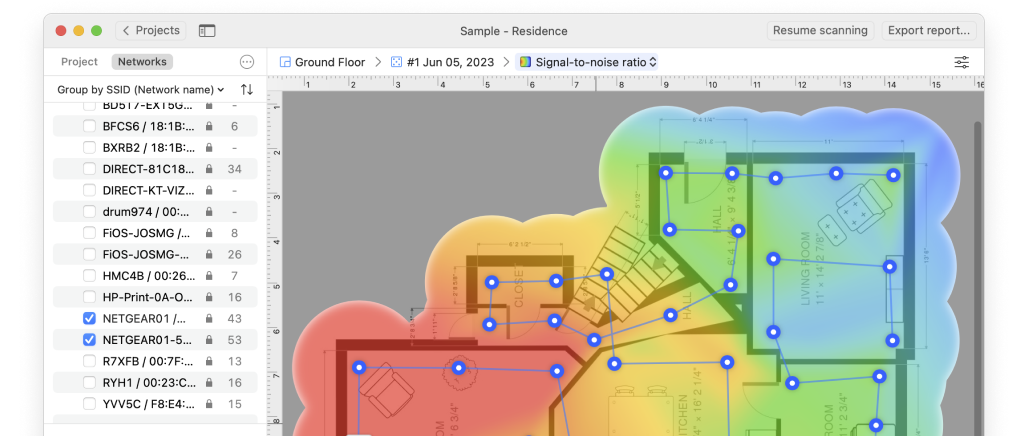
Better performance: Just like a modern computer with Windows 98 installed on it won’t perform as well as the same machine with Windows 10, you can’t really expect your router to reliably control the movement of data packets on your wired and wireless network unless the router has up-to-date firmware with support for the latest networking technologies, which is something custom firmware for routers excels at. You can check the impact of custom firmware on performance using NetSpot WiFi Site Survey software.
More features: Since most home users don’t care about virtual private networks, advanced port forwarding, Samba file sharing, IPV6 support, or dynamic DNS, router manufacturers typically don’t bother implementing these and other features in lower-end routers. But just because they’re not implemented from factory doesn’t mean they can’t be added with custom router firmware.
Nicer user interface: If you’ve ever logged in to the admin interface of a low- or mid-range router, then you know that they typically leave a lot to be desired. Best custom router firmware packages come with well-thought-out admin panels that are not just intuitive but also stable.
Open source: Many custom firmware projects are open source, which means their source code is publicly available for anyone to study and modify. That’s important because it allows independent developers to make existing firmware compatible with newer routers and propose bug fixes and improvements.
This sounds great, right? But are there any downsides to using custom router firmware? Well, the biggest downside is that you will almost certainly lose the manufacturer’s warranty by installing router custom firmware.
You also won’t be able to receive official customer support since the entire user interface will be completely different. In some cases, you may be required to physically modify your router’s motherboard to gain the ability to overwrite the stock firmware, so there’s also the risk of messing something up and causing the router to stop working.
If these downsides are acceptable to you, then there’s nothing stopping you from picking one of the best custom router firmware options listed in the next section of this article.
Choosing the best custom router firmware can be a time-consuming process because there are so many options these days, and the differences between them can be rather technical and not instantly apparent. To save you time, we’ve done the research for you, and here’s our list of the best custom router firmware you need to know about.
Sveasoft was a California-based company that created custom router firmware based on Linksys’ source code, turning limited functionality $50 consumer routers into something far more capable. For example, the firmware makes it possible to increase RF power output by 900 percent to 251 mW, which is a large enough increase to cover all signal weak spots with a strong signal.
The Sveasoft router firmware was sold as a $20 yearly subscription that included unlimited upgrades and access to its developer’s tech support forums. But because of its payment model and resulting clashes with the open-source community, which accused the firmware’s lead developer, James Ewing, of being in clear violation of GPL, the project was eventually discontinued, and the firmware is no longer available.
Fortunately, there are several custom firmware router projects that can be used as excellent alternatives to The Sveasoft router firmware.
Created as a branch of Sveasoft Alchemy, DD-WRT is, by far, the most popular custom router firmware today. It was initially released in 2005 for the Linksys WRT54G router, but it now runs on routers from all major manufacturers.
Because DD-WRT has been along for such a long time, all the little kinks and bugs that plague similar projects at early stages have been worked out, so you can look forward to a stable experience and plenty of advanced features.
TomatoUSB is a custom router firmware package for Broadcom-based ethernet routers from Asus, Linksys, Buffalo, Netgear, and other manufacturers. It’s an evolution of the Tomato firmware, which was originally released by Jonathan Zarate in 2006.
TomatoUSB adds features such as NAS support, the ability to access a USB printer from LAN, media server DLNA, graphical bandwidth usage monitor, and more. Thanks to its open-source nature, updates are released on a regular basis, and you can keep up with them by visiting the official changelog.
OpenWrt was first released in 2004 as an open-source project that aims to run Linux on as many routers as possible. At the time of writing this article, OpenWrt is in version 19, so there’s no reason to doubt itsmaturity and stability.
The main features that make OpenWrt stand out as one of the best custom router firmware packages include its extensibility, security, performance, community support, and standardized nature. Fun fact: earlier versions of OpenWrt were named after famous cocktails, including White Russian, Kamikaze, and Backfire.
Custom router firmware makes it possible to increase your router’s output power, which is sort of like turning the volume knob on a radio up. The more you increase your output power, the strong the Wi-Fi signal emitted by your router will be.
The problem is that there are laws and regulations that clearly specify the maximum signal transmission strength allowed for indoor and outdoor wireless networks.
For example, the maximum allowable total radiated power (TRP) in the United States is 1000 mW, but it’s only 100 mW in Europe. These restrictions exist to keep signal interference caused by Wi-Fi networks acceptably low so that it doesn’t interfere with other parts of the RF spectrum, which is used by first respondents and other emergency workers.
Custom router firmware can bring new life to an again router or make a brand-new router even more capable than it already is. Thanks to an ample supply of online tutorials and guides, you don’t need to be an expert to install custom router firmware — you just need some time and dedication. The benefits are definitely worth the effort.

WiFi analyzer app runs on a MacBook (macOS 10.12+) or any laptop (Windows 7/8/10/11) with a standard 802.11a/b/g/n/ac/ax wireless network adapter.



If you want to get more information about Wi-Fi, check out the following articles about Wi-Fi routers, the best apps for wireless networking, WiFi signal, etc.